

GitLab integration is available on the Enterprise plan.
1
Find your project ID
Navigate to your project’s 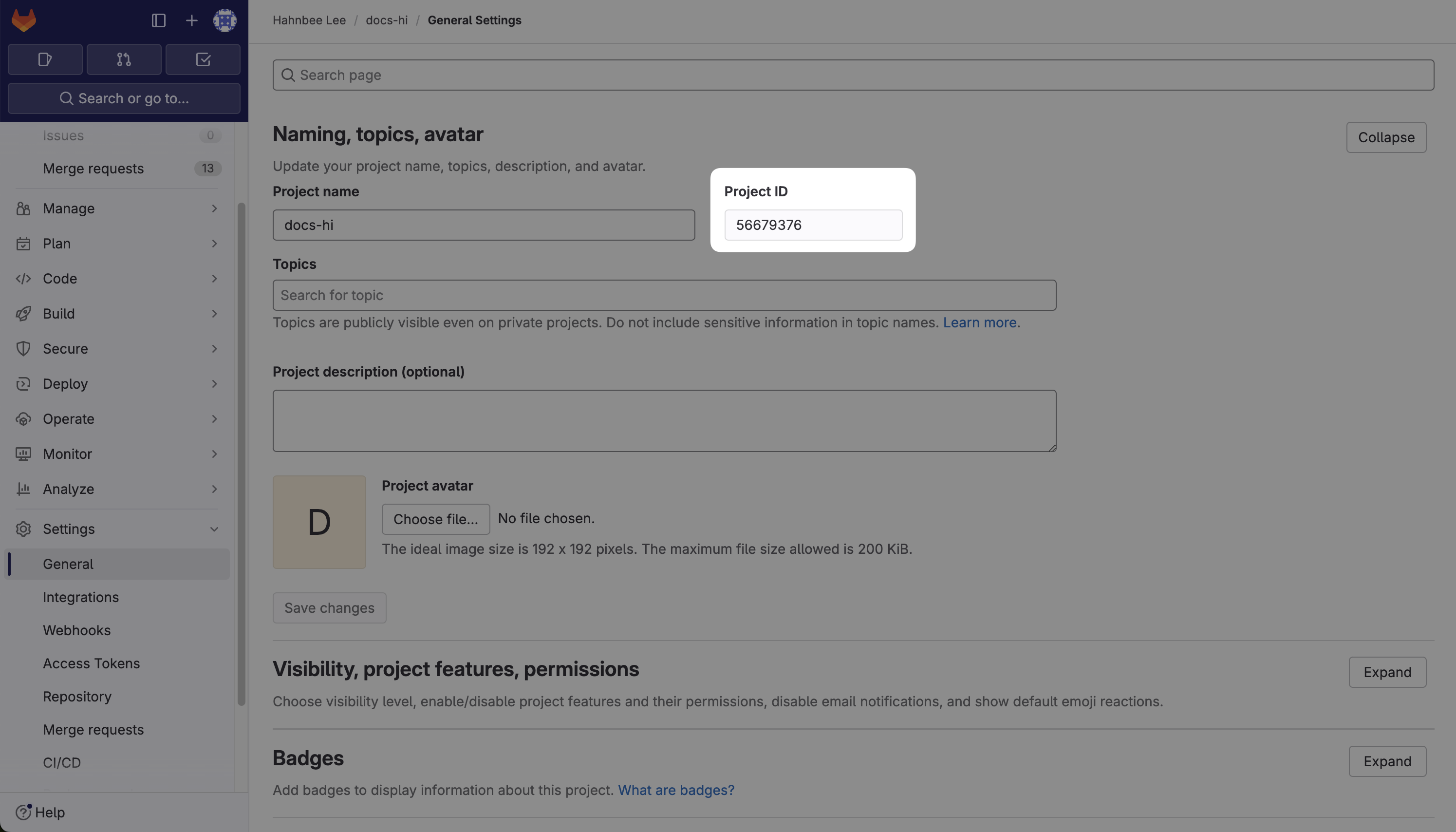
Settings > General and find the Project ID.2
Generate a project private token
a. Navigate to your project’s 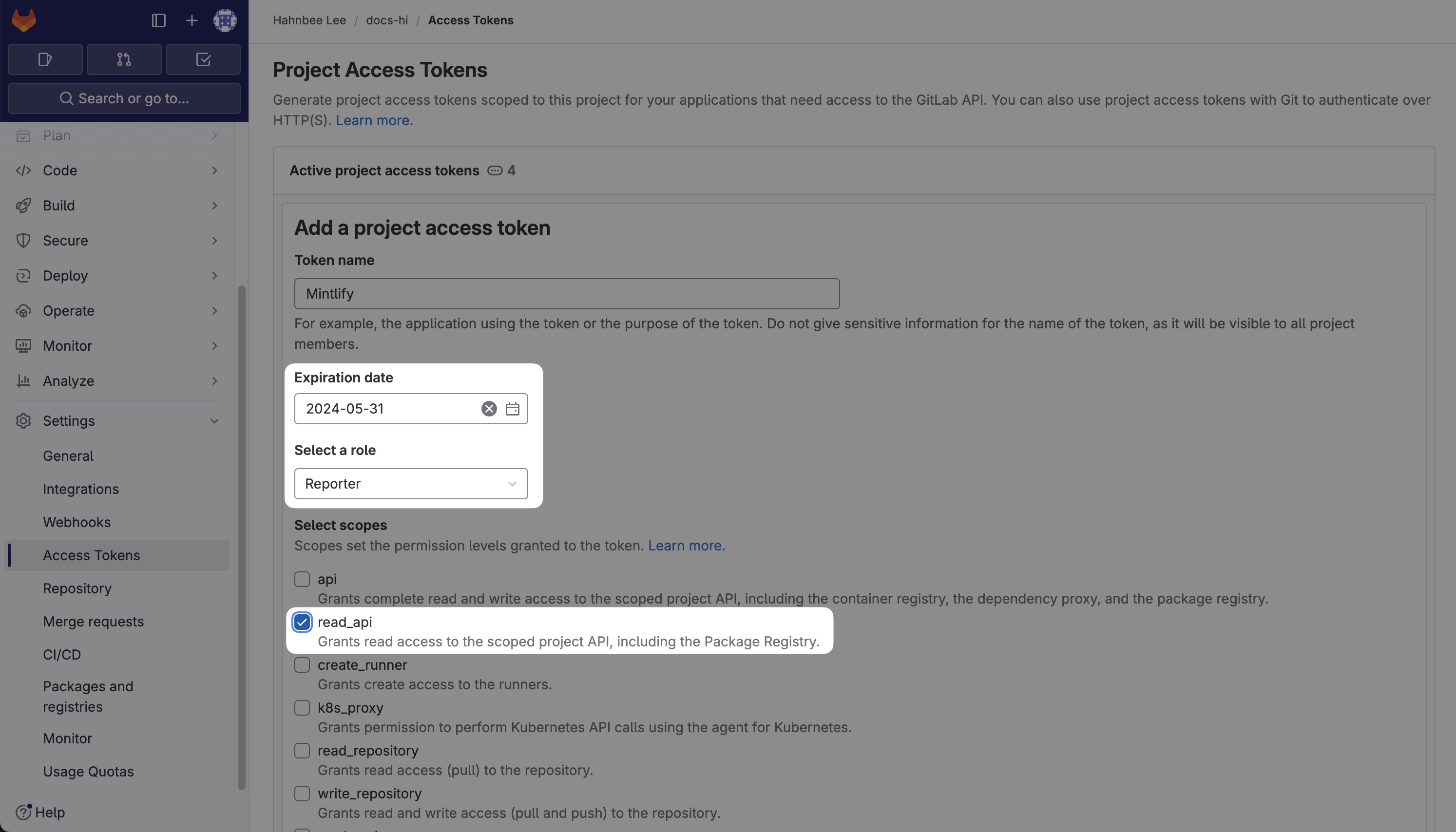
Settings > Access Tokens.b. Select Add new token.- Name the token “Mintlify” - this specific name is important as it will be visible when we make changes on our end.
- Choose
read_apifor the scopes. - If you have a private repo, you must set the role as
Reporter.
Create project access token and copy the token.3
Reach out to the Mintlify team for final setup.
Contact us here.